Extend it your way, or keep what you have.
Magnitide plugins are sandboxed WebAssembly components written against Magnitide directly. calibre plugins run unchanged beside them, in a calibre or in Estuary, Magnitide's compatibility layer that runs them with no calibre at all.
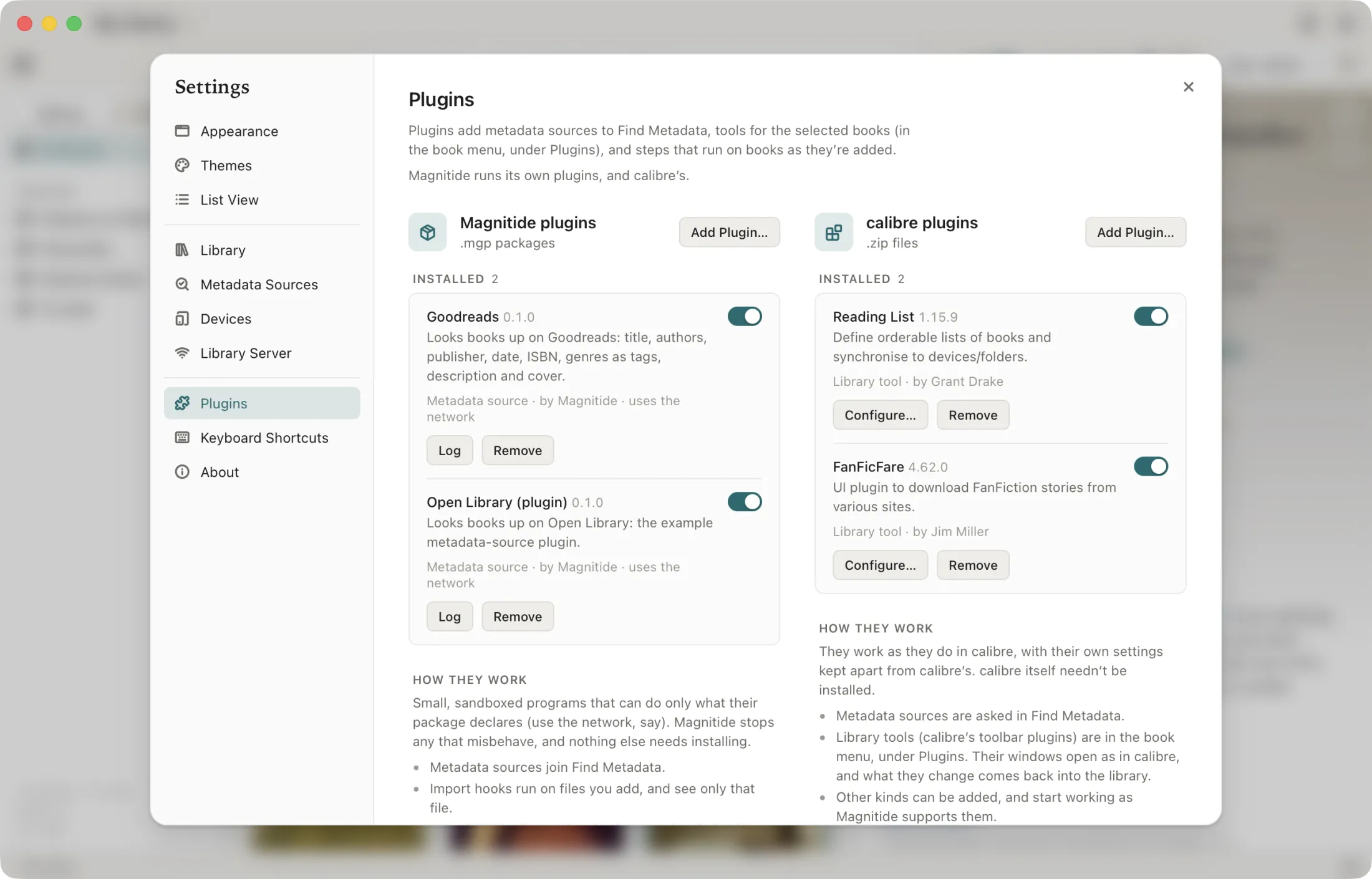
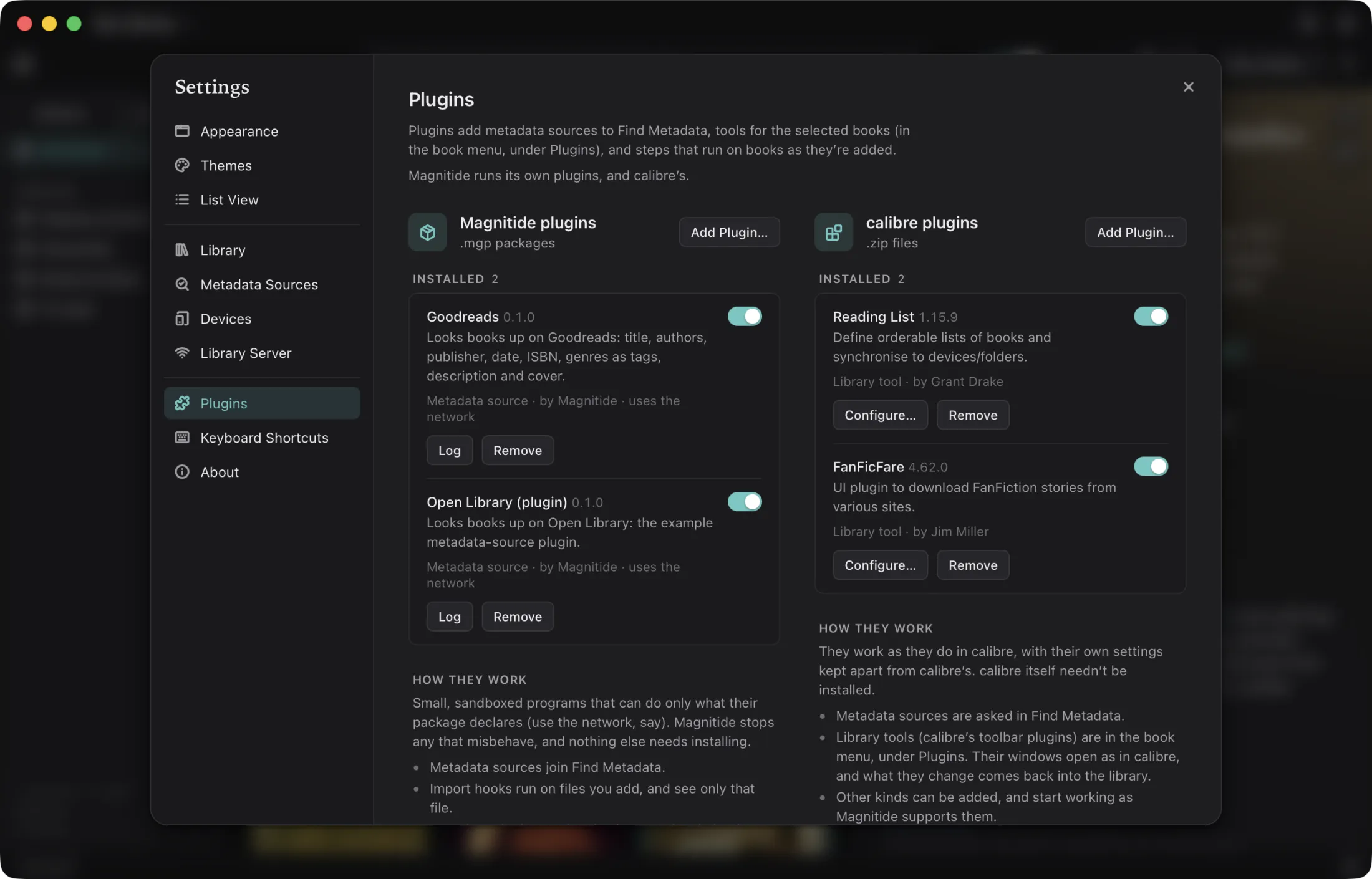
Magnitide plugins: the API and SDK
A plugin is a WebAssembly component that implements one of the worlds in the magnitide:plugin@0.1.0
WIT package, packed with a manifest into an .mgp file. It runs sandboxed inside the app, in any
language with a WIT toolchain, and does only what its manifest declares.
metadata-sourceShows up in Find Metadata beside the built-in sources. Exports info() and identify(lookup): a title, authors and maybe an ISBN in; book records, best first, out.
import-hookRuns on each file of its types as books are added, before the file is stored: fix it, convert it, or leave it alone. Its sandbox holds only that one file.
file-metadataReads and writes metadata for a format Magnitide doesn’t handle itself, or handles better: reads(), read(), writes(), write().
library-actionMenu items in the book menu and the Plugins button that run on the selected books, with host functions to read, search and edit the library, progress in the job bar, and questions to the user mid-run.
The sandbox
Each call gets a fresh instance: no state survives between calls, a crash is a plugin error and not an app crash, and a plugin can't see another's memory. The instance has no filesystem, no environment and no sockets. A call that works on a file sees that one file read-only at /in and a scratch folder at /out, both gone when the call is done. Memory is capped at 256 MB, and a call is stopped after 60 seconds (an import hook gets five minutes, a library action an hour).
What a plugin may do is in its manifest and shown in Settings when it's added. The capabilities are network (HTTP through Magnitide, with its proxy settings and user agent), write-library (edit books, set covers, add formats) and read-files (open a book's files). A plugin that asks for nothing can only compute over its input and read the library's metadata.
Packaging
An .mgp is a zip with a manifest.toml at its root, the component, and anything else the plugin ships:
name = "Open Library (plugin)"
version = "0.1.0"
author = "Magnitide"
description = "Looks books up on Open Library"
api = "0.1"                          # magnitide:plugin API version
kind = "metadata-source"
capabilities = ["network"]           # [] for none
component = "plugin.wasm"
Adding an .mgp whose name is already installed replaces it, so updates are a drag and drop.
Writing one
The Rust SDK, magnitide-plugin-sdk, gives you the generated bindings, an export macro and helpers for HTTP and logging. The Open Library example does the same lookup as the built-in source in about 120 lines and packs to 64 KB. Start from the template, build, and check the package without the app:
scripts/new-plugin.sh plugins/my-source "My Source" metadata-source
scripts/build-plugin.sh plugins/my-source        # → target/plugins/my-source.mgp
cargo run -p magnitide-plugins-wasm --bin mgp -- check target/plugins/my-source.mgp
Anything that produces a component from the WIT works the same way: componentize-py for Python, jco for JavaScript, TinyGo's wit-bindgen-go. The manifest and the .mgp are identical.
Porting a calibre metadata source is mostly deleting code. The Goodreads source in the repository is kiwidude's calibre plugin rewritten on the native API: the same search and the same data read from the page, in a few hundred lines of Rust instead of a plugin that needs calibre's Source, lxml and a worker thread per result.
calibre plugins, unchanged
The calibre plugins you rely on run as they are. Choose where in Settings → Plugins; "whichever is there" takes them in this order.
| Host | What it is | Size | Status |
|---|---|---|---|
| Your installed calibre | calibre’s own calibre-debug runs Magnitide’s host package on calibre’s code. Plugins get the real calibre API; plugin settings stay in Magnitide’s folder, never calibre’s. calibre 6 or later. | — | Supported |
| A calibre Magnitide downloads | calibre’s own release for this computer, pinned and checked against the SHA-512 calibre publishes, unpacked under Magnitide’s data folder and used only by Magnitide. Nothing is installed system-wide. | 180–350 MB | Supported |
| Estuary | Magnitide’s compatibility layer for calibre plugins, with no calibre at all: a downloaded CPython and PyQt6 with a calibre package written for Magnitide that mirrors calibre’s API closely enough that plugins written for calibre 5 to 9 load and run. | ~60 MB | Experimental |
What each kind of plugin gets
- Metadata sources join Find Metadata, and their options dialogs work.
- Toolbar (GUI) plugins run from the Plugins button and the book menu on a calibre-format copy of the open library. Their dialogs open as their own windows, as in calibre. When a plugin asks calibre to edit metadata, remove books, download metadata, convert, add or view, Magnitide does it; what the plugin changed comes back into the library through Magnitide's own editing, so renaming, write-back and undo-safety still hold.
- File-type plugins run when books are added, after conversions and when a format is removed.
- Metadata readers and writers handle the formats they declare; their priority decides against Magnitide's own readers.
- Preferences plugins get Configure… in Settings, and library-closed plugins run when the library is switched or the app quits.
Not supported: conversion input and output plugins (calibre's conversion pipeline isn't run; Magnitide converts natively or with ebook-convert), catalog, device, store, viewer and editor plugins.
Checked against real plugins
A corpus of plugins is installed and loaded by the test suite in each host. As of October 2026 every one of these loads in Estuary:
Loading is not the same as every feature working: the plugins' own dialogs and jobs are exercised by hand, and the compatibility package grows as gaps turn up. A plugin that works in a calibre and fails in Estuary points at one; the installed-calibre host is the oracle.